
What To Do When 3D Print Is Slowly Falling Resin
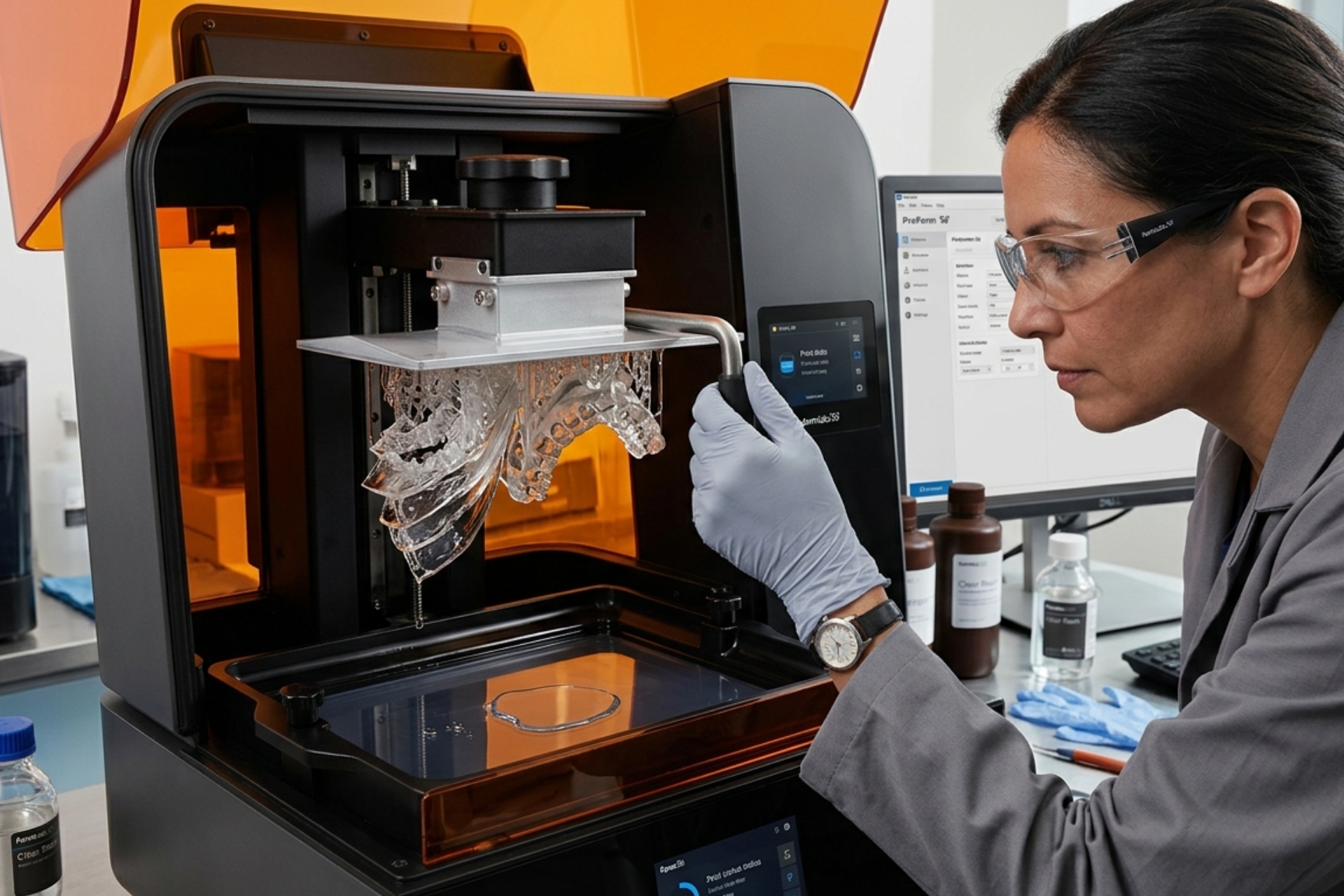
That sinking moment hits hard when you peek at your Ceramic Resin 3D Printing, hoping for a clean model – only to see a sticky disaster creeping down the platform. Instead of sharp details, what greets you is a warped shape losing grip, each level pulling loose and sagging into the liquid below.
Table of Contents:
Ever seen this before? You’re definitely not the only one. That quiet, creeping collapse of a layer – yeah, it happens a lot in resin 3D Printing Products in Malaysia. Here’s the thing though – it usually has an answer.
Something’s off with your print quality. Here’s how to trace the issue, then fix it piece by piece until results sharpen up again.
Emergency Stop First!
Hold on. Spotting a failed print right now? What you do next really matters
1. Hold up – freezing the 3D Printed Ceramics now beats regret later. Tap pause or stop without delay. Running it longer burns extra resin. That mess grows tougher to clean if you let it ride.
2. Start by taking off the build plate with care. Put on nitrile gloves before you begin. Lift the plate slowly from the resin container. There might be a half-finished print still attached. Alongside it, you may see solidified layers of resin – like flat discs – stuck to the FEP sheet down below.
Here we are, past the worst of it – time to piece together where things slipped. A pause like this shows cracks others miss. What looked small grew without warning. One misstep led somewhere else entirely. Looking back makes patterns appear. Faults hide in routines until they do not. This moment reveals what escaped notice before.
The Five Most Common Causes And Their Solutions
A layer that slips down bit by bit often means it won’t hold on tight. One reason might be weak bonding between levels, another could be poor grip where the object meets the platform – so when the FEP pulls back, the piece gives way. Sometimes things just let go too soon.
1. Good First Layer Stick
Here stands the main culprit. Without a solid grip between initial layers and the build platform, the whole object risks getting yanked free when the FEP peels back. What begins subtle ends sudden.
Here’s what happens sometimes. A print won’t stick because the bed isn’t sitting right – tilted just a bit. Dirt or oil on the surface plays a role, too. Then again, if the first layer doesn’t get enough light, it stays weak. Each of these things breaks the bond you need. Leveling matters more than most think. So does wiping the plate down before starting. That first splash of UV needs to last long enough. Otherwise, nothing holds firm.
The Fix:
Start by adjusting your 3D Ceramic Printing build plate – it has to be done. Stick precisely to the steps in your printer’s guide. When the surface sits just right, the first layer presses down uniformly from edge to edge.
Start roughing up the print surface if it shines like glass. A bit too slick means trouble sticking. Try going at it with medium-fine sandpaper – around 200 to 400 grains – for tiny ridges. Those little textures give the liquid resin something to hold on to.
Start by giving the base layer more time under light. Try settings between 25 and 40 seconds – this works well for many machines and common resins. When dealing with big or dense shapes, pushing beyond that window can help. Higher values might just keep things solid down below.
2. Support Structure Failure The Invisible Scaffolding
Without enough support, your prints can collapse mid-build. A wobbly frame might bend when stress hits it during printing. Thin or weak structures tend to break right where they’re needed most. Bad placement makes things worse, turning small pressure into big failure.
Heavy parts droop mid-print when they lack support underneath. Islands without backing start to bend, then break free. Overhangs hold together at first – later give way. Sections meant to float collapse before cooling. Bridges stay intact early on – snap off near completion. Unsupported zones warp slightly – finally fall apart. Print holds strong where anchored – fails where hanging.
The Fix:
Start by placing extra supports where needed. Auto-generated ones help, yet they miss tricky spots. Toss in some hand-placed braces under large overhanging sections and isolated zones.
Start by making those support points wider where they touch the model. Where the structure meets the print bed, go thicker on the base spots. Strength matters most when peeling away from the resin tank. Bigger surface area helps hold firm against sticky release forces. Think beefy pillars instead of toothpicks. Resistance builds up during each layer lift – don’t let it snap free too soon.
3. Low Temperature Silently Ruins Prints
When temperatures drop below 20°C, resin turns sluggish and dense. Cold conditions turn the liquid into something close to thick syrup. Because of that, separating the print surface from the FEP gets tricky. The peel force rises, making layers misalign more easily.
Frosty corners of the house turn neat prints into warped puzzles overnight. Some layers lift when warmth fades, leaving edges curled like old paper. Cold air shifts how plastic sticks, piece by piece. Drafts sneak under builds, tugging at weak bonds. What held strong in July peels apart come November. Temperature swings mess with precision, even if nothing seems different. Humidity dips play their part too, quiet but sharp. Each chill changes the game without warning.
The Fix:
Leave the resin bottle somewhere cozy before starting – cold spots slow things down. Wait several hours until it feels ready, not chilled through. A steady temperature helps everything flow better when you begin.
Start things off right by warming the area where your printer sits. Try using a heating pad made for coffee makers or even a compact room warmer placed nearby – just make sure it points close, never straight at the machine. Aim to hold temps between 25 and 30 degrees Celsius, which turns out to be around 77 to 86 Fahrenheit. Holding steady here really does help prints come out the same every single time.
4. FEP Film Problems with Tension and Clarity
Beneath the resin vat sits a clear sheet called the FEP. This part must stay flawless to work right. A single scratch can cause problems down the line.
A gap that’s oversized, undersized, or marked by scratches might let suction run high. Layers stick when the FEP fails to stay smooth. Too slack brings extra pull. A rigid fit resists separation just as much. Damage on the surface adds resistance. Uneven release follows each flawed condition.
The Fix:
Start by looking closely at the surface. When grooves are deep, they hold onto hardened resin, causing failed prints later. A badly marked one works poorly – swap it out instead.
Tension matters with the FEP – if it sags, excessive flex forms strong suction. On the flip side, cranking it too tight brings its own problems. Ideal state? Drum-like firmness, ringing steady and mid-tone when flicked. Tools designed just for tuning tension are offered by various brands.
5. Exposure Time Just Right
Most times, how long you expose each layer really matters. If a layer does not get enough light, it ends up too fragile. That weakness means it might collapse under the next layer’s mass.
Mid-print failures happen because the material feels smooth yet bends too easily. Though fine details show up, strength is lacking during production. Layers separate when stressed instead of holding firm. Weak spots appear where structure should stay intact.
The Fix:
Start by printing a test pattern such as the XP2 Validation Matrix or the Ameralabs Town. That first layer tells you how your resin reacts under real conditions. As details sharpen, adjust timing – add exactly 0.3 seconds each round. Watch edges tighten and surfaces smooth with every new trial. Only stop once each section sticks firmly and lines appear crisp. Each jump in duration reveals more stability across features.
Sometimes just running through a short list makes it easier to spot what went wrong during 3D printing. Print peeling off the platform? Chances are high that the bed isn’t level – try tweaking its position, smoothing out the surface with sandpaper, increasing the first layer height slightly, then making sure exposure settings aren’t too low. Uneven support across sections often means the scaffolding underneath lacks strength; go denser on support thickness and sprinkle in extra touchpoints where needed. Cold spots or frosty rooms mess with material behavior since chill slows down flow and adhesion, whereas steady heat keeps resins and filaments flowing like they should. Running your printer somewhere warm enough – not hot, just consistent – cuts down surprise failures when temperatures dip overnight.
When repeated failures happen along with a sharp popping noise, loose FEP or too much suction might be to blame. Look at how tightly the FEP is stretched, then try adding a brief delay after each retraction step. That small stop sometimes eases pressure while the printer works. Now and then, weak layers come apart without effort – this tends to point toward wrong exposure time. Test prints made just for tuning light settings often reveal better values, making bonds between layers stronger.
Don’t Give Up!
Figuring out Ceramic 3D Printing takes time – mistakes will happen along the way. What matters? Tackle one piece at a time, slowly peeling back what’s going wrong. Begin by getting in touch with us by checking how level the build platform sits, making sure layers stick right from the start. After that, shift attention to support structures – they hold everything together when things get shaky. Only once those are stable should you fine-tune how long each layer gets exposed to light.
When you figure out why it failed, fixing today’s print through 3D Printing Company becomes possible – while tomorrow’s success quietly takes shape. A single mistake holds clues that keep repeating errors away.